Molecular representations
Choose the depiction that answers the structural question.
Every representation is created in molgfx.rep and targets a MolFrame selection. Add several representations to combine overview and detail.
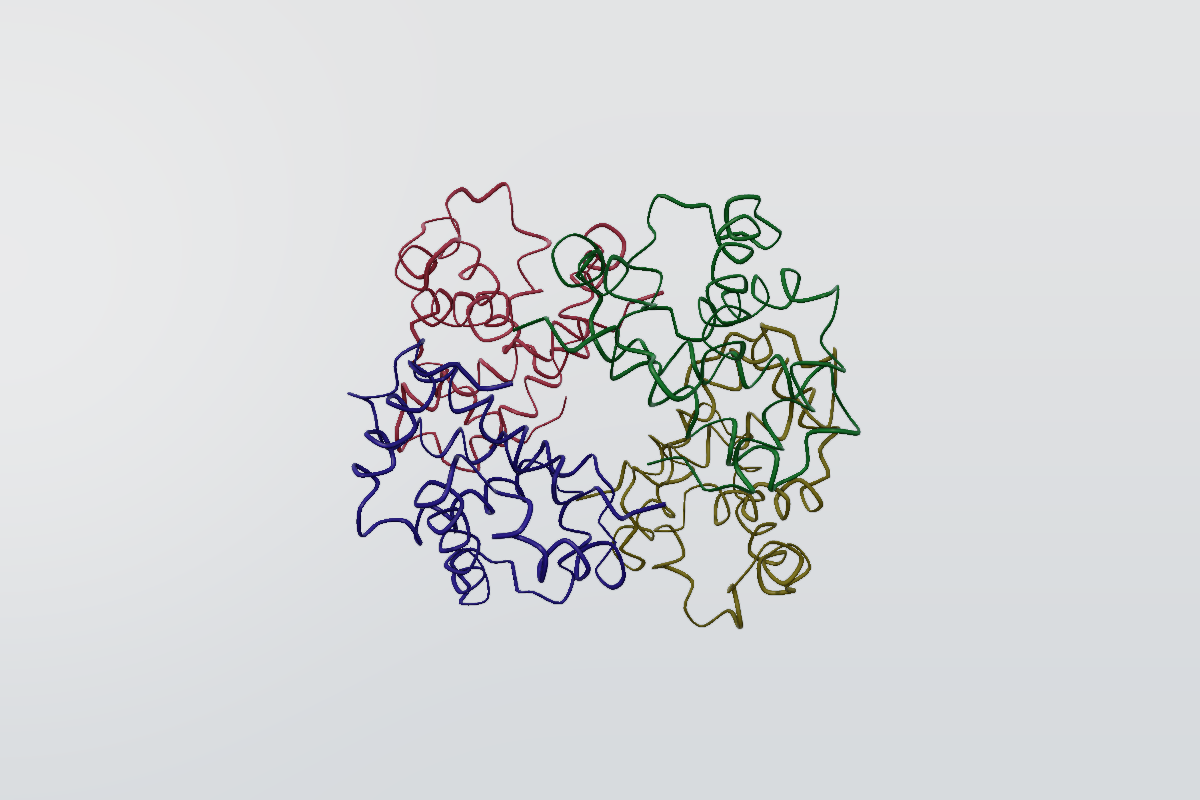
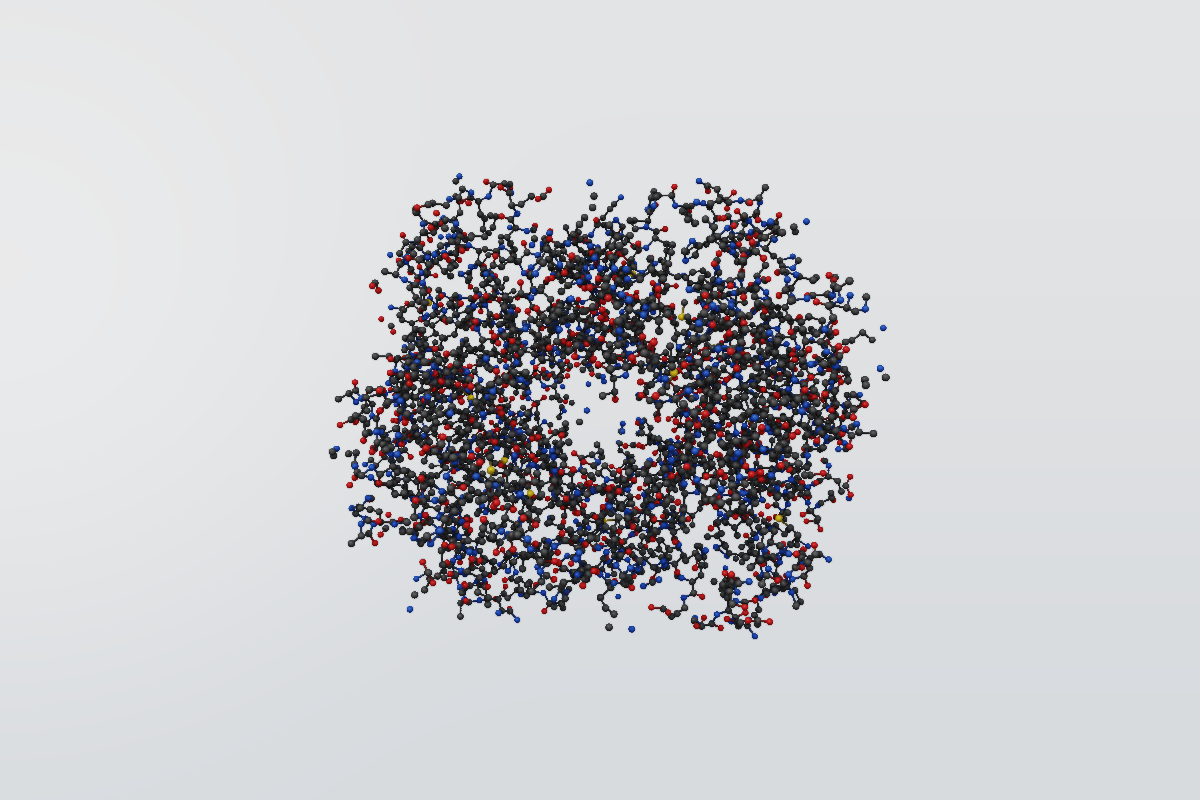
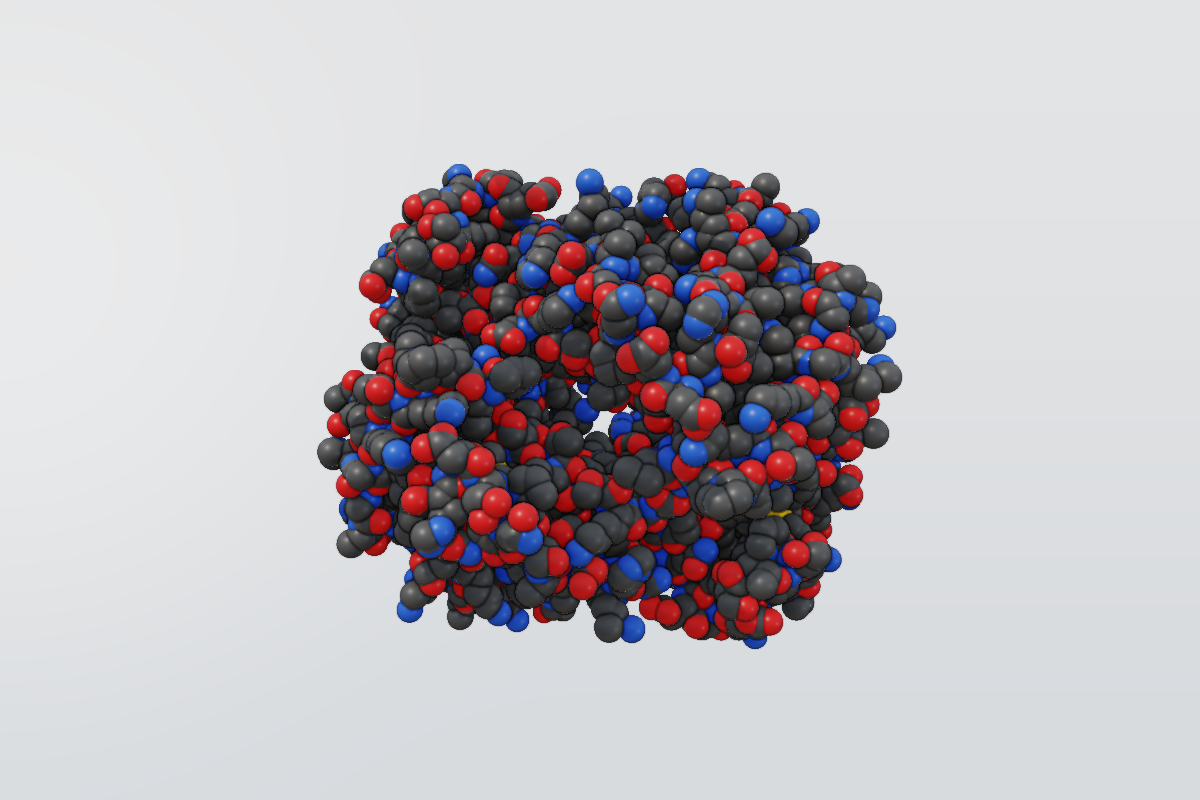
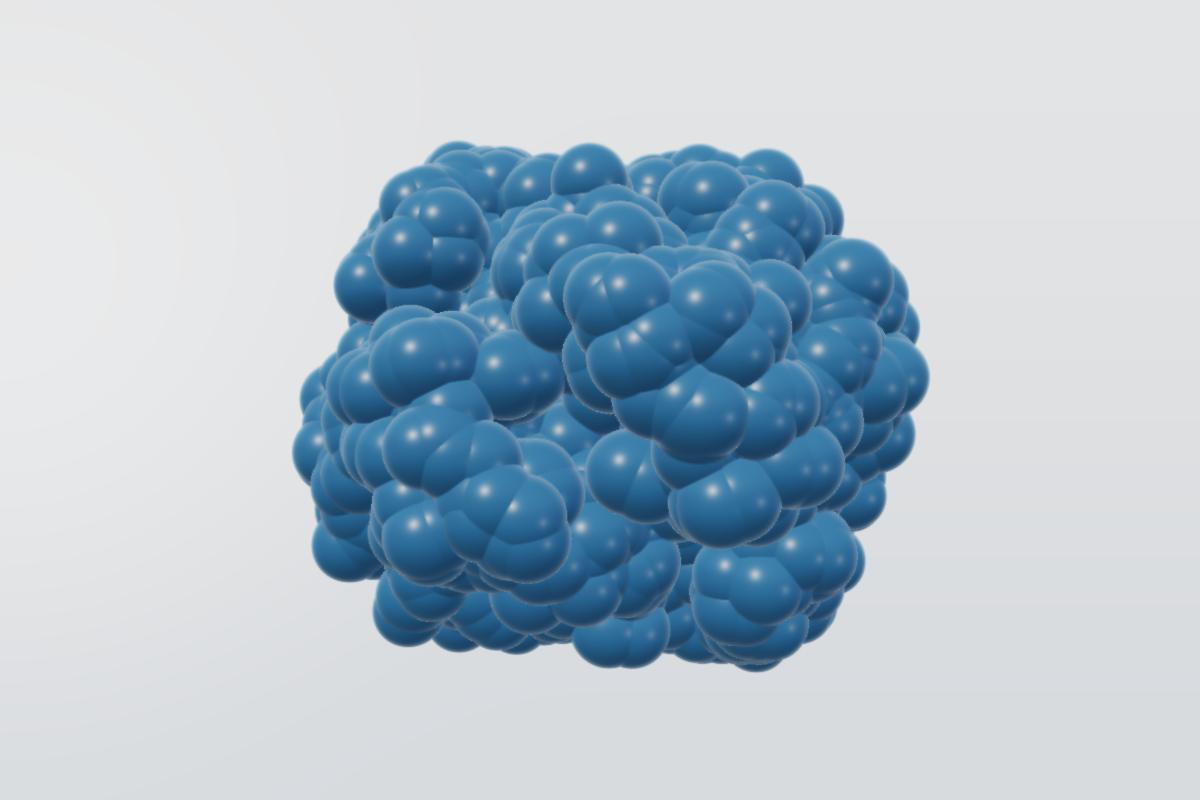
Core forms
| Representation | Use it for | Main controls |
|---|---|---|
cartoon | protein or polymer context | width, style |
ball_and_stick | local contacts and bonds | radius, bond_radius |
spacefill | atomic volume | radius |
licorice | uniform-radius atoms and bonds | radius, bond_radius |
lines | compact bond overview | width |
points | dense atom clouds | size |
surface | molecular envelope | kind, style, probe_radius, isolevel |
All forms accept target, opacity, and color. target defaults to "all" for the forms that do not take a source, so molgfx.rep.spacefill() depicts every atom. Surface forms built from a source still require an explicit target. nucleic_acid, bases, base_pairs, and glycan are also available for their respective molecular targets.
import molframe
import molgfx

structure = molframe.read("4hhb.cif").infer_bonds()
scene = molgfx.Scene(structure)

scene.add(molgfx.rep.cartoon(target="protein", color=molgfx.color.secondary_structure()))
scene.add(molgfx.rep.licorice(target="resname HEM", bond_radius=0.15))
For ball-and-stick, licorice, and lines, call structure.infer_bonds() after reading mmCIF when the source does not contain all bonds.
Bond chemistry on screen
Sticks, ball-and-stick, and lines draw the chemical order they were read with, not a uniform stick per edge:
- a double bond is two parallel strands and a triple bond three, packed inside the width one stick of that radius occupies;
- an aromatic bond is a solid line with a broken inner line inside the ring;
- a metal-coordination edge keeps its metal styling.
The default stick radius is 0.25 Å, the value the reference engines use, so an
unparameterized licorice or ball_and_stick matches the familiar picture.
Override it with bond_radius.
Blob surfaces
surface takes a style; soft_union is the smoothed envelope that rounds the
union of the contributing atoms into one blob rather than tracing each atom's
exact boundary. Use it for a schematic molecular envelope, and solid or mesh
when the exact solvent-accessible or solvent-excluded boundary matters.
scene.add(molgfx.rep.surface(target="protein", kind="van_der_waals", style="soft_union", probe_radius=1.6))Automatic defaults
auto draws a structure with the forms its size and chemistry call for — the
same policy a viewer applies when it opens a file: atomic detail for a small
non-polymer, cartoons (and nucleic-acid ribbons) plus atomic detail for a medium
structure, cartoons alone for a large one, and one Gaussian surface for a huge
one. Solvent is never drawn.
scene.auto()In the command session the same verb adds the layers under their form names, so they can be hidden, recoloured, or removed like any other layer:
auto
hide @ball_and_stick
Pocket and pose
pocket builds the standard view of a ligand in its binding site from one
query. The subject is drawn at full detail; complete residues within near ångström
are thin ball-and-stick; residues out to mid are faint points; a translucent
solvent-excluded surface bounds the pocket; water inside the outer shell stays as
sparse context; everything farther is a demoted tube. Water beyond the shell is
never drawn, and the subject is focused so the camera frames it.
# Assumes the entry has a ligand named LIG; an empty focus raises SpecError.
scene.pocket("resname LIG")

style = molgfx.PocketStyle(near=5.0, mid=12.0).with_opacity(pocket=0.5)
scene.pocket("resname LIG", style=style)
Every piece is an ordinary representation, so each can be edited afterwards, and
in a command session the six layers are registered like any other and one undo
removes the composition:
pocket near=5 mid=12, resname LIGThe same call exists in Rust as Scene::add_pocket with a PocketStyle. An empty
subject query, unordered radii, or an opacity outside zero to one are rejected
before anything is added.
Ensembles
ensemble overlays several structures of one scene as cartoons in colours you
choose, with the heaviest member most opaque. Add each structure with
Scene.add_structure, then give every member a weight and a colour:
other_model = molframe.read("other.cif").infer_bonds()
second = scene.add_structure(other_model)
scene.ensemble([
    (scene.structure_id, 3.0, (200, 40, 40)),
    (second, 1.0, (40, 40, 200)),
])
The member with the largest weight (the first on a tie) draws at
dominant_opacity. Every other member's opacity is its weight relative to that
one times alternate_opacity, never below minimum_opacity. Only weight ratios
matter. A repeated structure, a negative or non-finite weight, all-zero weights,
or an opacity outside zero to one is rejected before anything is added. The
overlay does not align the structures; superimpose them first.
Differences
difference draws a target as a cartoon coloured by a scalar property you have
bound, with small values faded to context. The property is your own difference,
score or uncertainty column:
values = [0.1 * index for index in range(len(structure.select("all")))]  # one per atom
delta = scene.bind_property(
    structure=scene.structure_id, name="delta",
    source_hash="delta-sha256", values=values,
)
style = molgfx.DifferenceStyle(thresholds=(0.5, 3.0), domain=(0.0, 3.0))
scene.difference(delta, "chain A", style=style)
Opacity rises linearly from context_opacity at the first threshold to full at
the second, and the palette spans domain. Thresholds that are not increasing, a
degenerate domain, an unknown palette, or a property bound to another scene are
rejected.